Our Epi GitHub Org was created in 2020. In 2021 The Data Science and Support Unit began using Git and GitHub for version control when developing the sequencing metadata integration pipeline. It took a while.. but eventually more epidemiologists started to ask for and receive GitHub licenses. In 2022:
we received a batch of licenses
~ > 150 DOH users set up GitHub accounts,
we set up collaborative repos for MPV response, and started discussions on public GitHub use.
Top Language
Count
Percent of Total
R
149
46.7%
Python
73
22.9%
null
42
13.2%
Jupyter Notebook
18
5.6%
SAS
8
2.5%
TSQL
7
2.2%
Batchfile
6
1.9%
TeX
5
1.6%
HTML
4
1.3%
Dockerfile
1
0.3%
Java
1
0.3%
JavaScript
1
0.3%
Rebol
1
0.3%
Roff
1
0.3%
Rust
1
0.3%
Shell
1
0.3%
Repo
Commits
Top Language
url
x
4628
null
github.com/x/x/x
x
1748
Python
github.com/x/x/x
x
1199
R
github.com/x/x/x
x
1045
HTML
github.com/x/x/x
x
1045
Python
github.com/x/x/x
Code
node_data =FileAttachment("repo_data_test.csv").csv()nodes = node_data.map(d =>Object.create(d))// bfScale = d3.scaleLinear()// .domain([1, 5])// .range([1930, 2020])// .clamp(true)scan = crTriggerIndexchart_param = ({width: width,height:600,margin: {top:50,right:40,bottom:80,left:60,center:150 }})chart = {// Define base scales for positioning circlesconst x = d3.scaleLinear().domain([0,1]).range([chart_param.margin.left, chart_param.width- chart_param.margin.right]);const y = d3.scaleLinear().domain([0,1]).range([chart_param.height- chart_param.margin.bottom, chart_param.margin.top]);// Initialize SVG containerconst svg = d3.select(DOM.svg(chart_param.width, chart_param.height));// Append title and subtitle svg.append("text").attr("x", chart_param.width/2).attr("y", chart_param.margin.top-25).attr("text-anchor","middle").attr("font-size","20px").attr("font-weight","bold").text("Beeswarm Plot of GitHub Repos Over Time"); svg.append("text").attr("x", chart_param.width/2).attr("y", chart_param.margin.top-10).attr("text-anchor","middle").attr("font-size","14px").attr("font-weight","normal").text("A visualization of repositories in the DOH-EPI-Coders organization");// Preprocess data: Map any language that isn't "R" or "Python" to "Other" node_data.forEach(d => {if (d.language==="Jupyter Notebook") { d.language="Python"; } elseif (d.language!=="R"&& d.language!=="Python") { d.language="Other"; } });// Group nodes by language using d3.groupconst languages = d3.group(node_data, d => d.language);// Viridis colors for languagesconst colorScale = d3.scaleOrdinal().domain(["R","Python","Other"]) // List of languages you want to color.range(["#440154","#3B528B","#287D49"]);// Adjusted Viridis colors with more green// Scale for node radius based on the number of commitsconst radiusScale = d3.scaleLog().domain([1,5000]) // Adjust the domain to your data range.range([1,13]);// Adjust the range for the circle radius// Define x scale based on create_date for grouping by dateconst xScale = d3.scaleTime().domain([newDate("2020-01-01"),newDate("2026-01-01")]) // Set date range.range([chart_param.margin.left, chart_param.width- chart_param.margin.right]);// Set up the y-scale based on language groupsconst yScale = d3.scaleBand().domain(Array.from(languages.keys())) // Use the language groups as domain.range([chart_param.margin.top, chart_param.height- chart_param.margin.bottom]).padding(0.1);// Add padding for spacing between the groupsfunctioncreateNodes(scan) {// Sort repos by commits in descending order and get the top 5 for scan == 3const topRepos = scan ===3? node_data.sort((a, b) => b.commits- a.commits).slice(0,5) : [];const topRepoCommits =newSet(topRepos.map(d => d.commits));// Initialize simulation with the base forcesconst sim = d3.forceSimulation(node_data).force("x", d3.forceX(d =>xScale(newDate(d.create_date)))) // Position along the X-axis based on create_date.force("collide", d3.forceCollide().radius(d =>radiusScale(d.commits) +1).strength(0.5));// Default collision force// If `scan > 1`, apply additional forces for language groupingif (scan >1) {// Apply additional y-force to divide nodes by language sim.force("y", d3.forceY(d =>yScale(d.language) +70)) // Position nodes along y-axis based on language.force("collide", d3.forceCollide().radius(d =>radiusScale(d.commits) +1).strength(0.8));// Adjust collision force// Create x-axis for yearsconst xAxis = d3.axisBottom(xScale).tickFormat(d3.timeFormat("%Y"));const xAxisGroup = svg.append("g").attr("transform",`translate(0, ${chart_param.height- chart_param.margin.bottom})`).call(xAxis);// Style x-axis labels (make them bold and larger) xAxisGroup.selectAll("text").attr("font-size","16px") // Set font size to 16px or any value you prefer.attr("font-weight","bold");// Make the labels bold// Create y-axis for language groupsconst yAxis = d3.axisLeft(yScale);const yAxisGroup = svg.append("g").attr("transform",`translate(${chart_param.margin.left}, 0)`).call(yAxis);// Style y-axis labels (make them bold and larger) yAxisGroup.selectAll("text").attr("font-size","15px") // Set font size to 16px or any value you prefer.attr("font-weight","bold");// Make the labels bold } else {// For `scan === 1`, apply the default force with no language division sim.force("y", d3.forceY(chart_param.height/2)) // All nodes at the center of Y-axis.force("collide", d3.forceCollide().radius(d =>radiusScale(d.commits) +1).strength(0.5));// Default collision force// Create x-axis for yearsconst xAxis = d3.axisBottom(xScale).tickFormat(d3.timeFormat("%Y"));const xAxisGroup = svg.append("g").attr("transform",`translate(0, ${chart_param.height- chart_param.margin.bottom})`).call(xAxis);// Style x-axis labels (make them bold and larger) xAxisGroup.selectAll("text").attr("font-size","16px") // Set font size to 16px or any value you prefer.attr("font-weight","bold");// Make the labels bold }// Restart the simulation to apply the changes sim.alpha(1).alphaDecay(0.05).restart();// Bind data and draw nodesconst node = svg.selectAll(".node").data(node_data).enter().append("circle").attr("class","node").attr("r", d =>radiusScale(d.commits)) // Set the radius based on the 'commits' field.attr("cx", d =>xScale(newDate(d.create_date))) // Set initial x position based on date.attr("cy", d => scan >1?yScale(d.language) : chart_param.height/2) // Correct y position based on language.style("fill", (d) => topRepoCommits.has(d.commits) ?"orange":colorScale(d.language)) // Highlight top 5 repos with orange.style("opacity", (d) => topRepoCommits.has(d.commits) ?1:0.6);// Lower opacity for non-top 5 repos// Add tooltips with repo info node.append("title").text(d =>`Repo: ${d.repo}\n`+`Commits: ${d.commits}\n`+`Contributors: ${d.contributors}\n`+`Create Date: ${d.create_date}` );// Hover effect to change circle color to red on mouseover, revert on mouseout node.on("mouseover",function(event, d) { d3.select(this).attr("fill","red") // Change the fill color to red on mouseover.attr("stroke","black") // Add black border.attr("stroke-width",2);// Set the border width }).on("mouseout",function(event, d) { d3.select(this).attr("fill", (d) => topRepoCommits.has(d.commits) ?"orange":colorScale(d.language)) // Reset the fill color.attr("stroke",null) // Remove the border on mouse out.attr("stroke-width",null);// Reset the border width });// Show detailed data on click with line breaks node.on("click",function(event, d) {const clickTooltip = d3.select("body").append("div").attr("class","click-tooltip").style("position","absolute").style("visibility","hidden").style("background","rgba(0, 0, 0, 0.7)").style("color","white").style("border-radius","4px").style("padding","10px").style("font-size","14px").html(` <strong>Repo:</strong> ${d.repo}<br> <strong>Commits:</strong> ${d.commits}<br> <strong>Contributors:</strong> ${d.contributors}<br> <strong>Create Date:</strong> ${d.create_date} `); clickTooltip.style("visibility","visible").style("top",`${event.pageY+10}px`).style("left",`${event.pageX+10}px`);// Close the click tooltip after 3 seconds (optional)setTimeout(() => { d3.select(".click-tooltip").remove(); },3000); });// Update circle positions on each tick of the simulation sim.on("tick", () => { node.attr("cx", d => d.x).attr("cy", d => d.y); }); }// Main logic to check `scan` value and call createNodes accordinglycreateNodes(scan);// Pass `scan` to createNodes to handle the different plot configurationsreturn svg.node();};
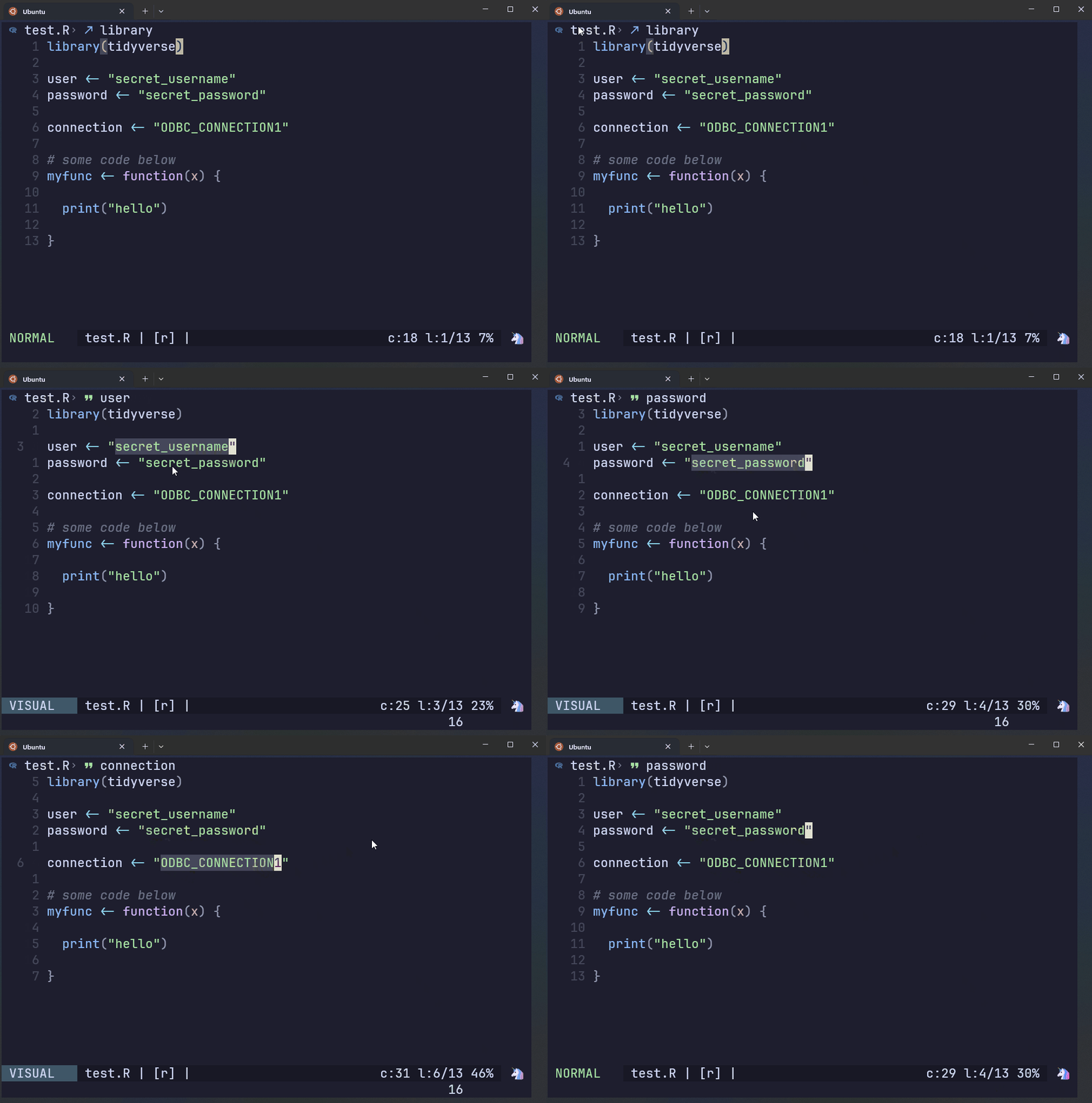
This file contains regular expressions of credentials that are prohibited from being in a remote GitHub repo.
The script to the right has hardcoded prohibited patterns.
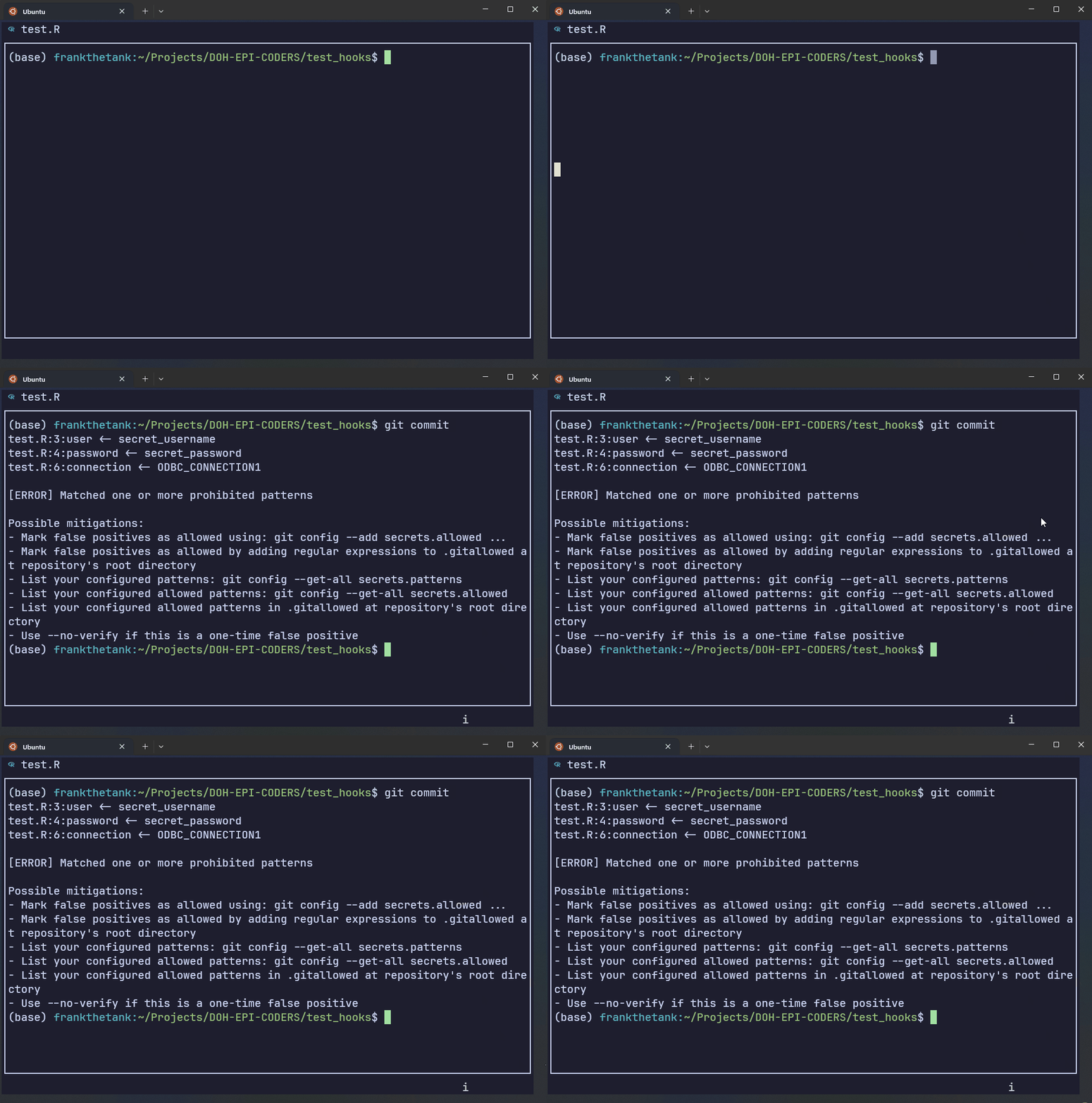
AWS Git Secrets rejects the commit if it detects the patterns found in the secret key file.
The first three lines show the regex patterns that got flagged, along with a warning message. The last chunk gives you instructions on how to handle false positives.
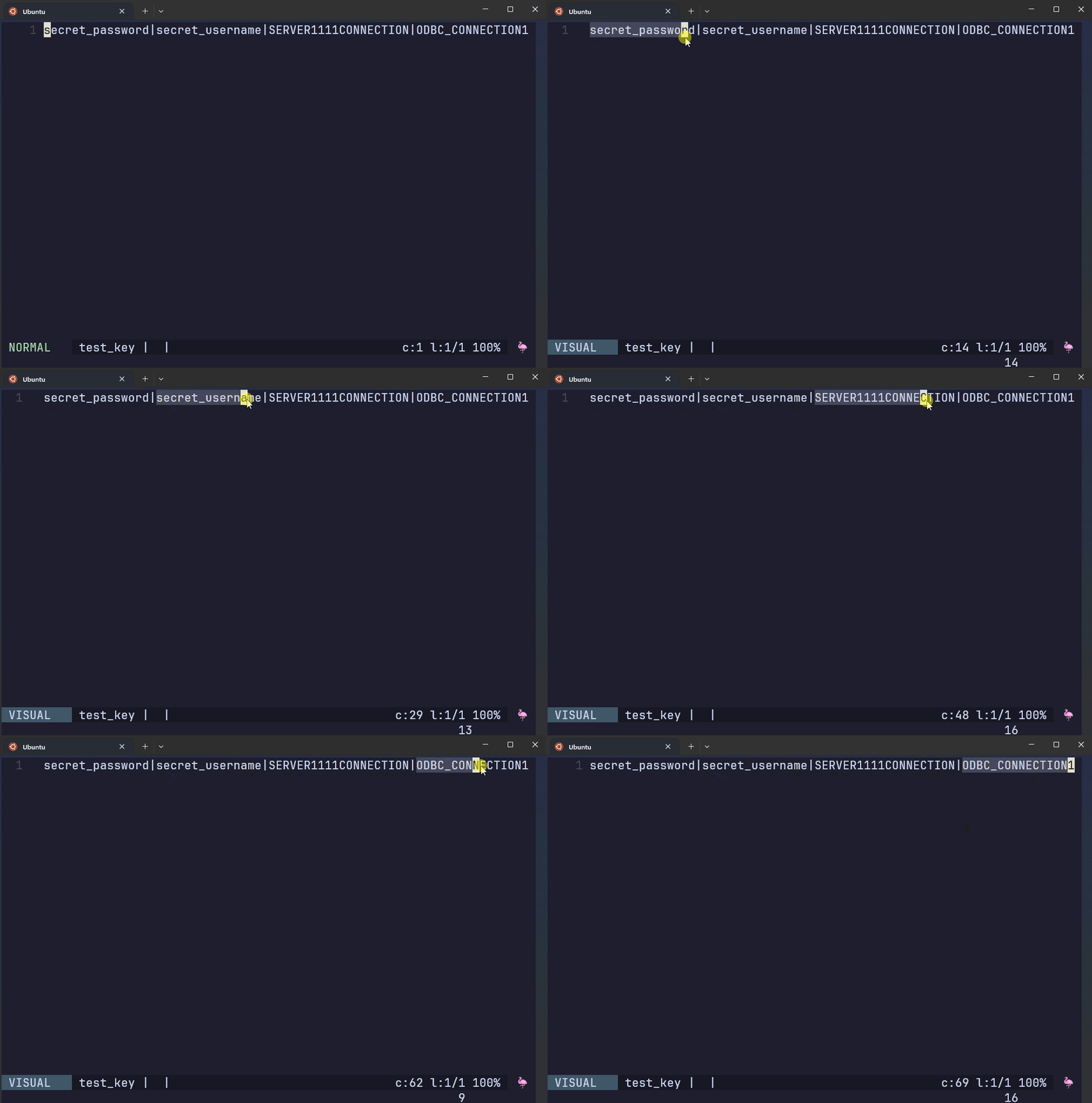
output
test.R:3:user<- secret_usernametest.R:4:password<- secret_passwordtest.R:6:connection<- ODBC_CONNECTION1[ERROR] Matched one or more prohibited patternsPossible mitigations:- Mark false positives as allowed using: git config --add secrets.allowed ...- Mark false positives as allowed by adding regular expressions to .gitallowed at repository's root directory- List your configured patterns: git config --get-all secrets.patterns- List your configured allowed patterns: git config --get-all secrets.allowed- List your configured allowed patterns in .gitallowed at repository's root directory- Use --no-verify if this is a one-time false positive
GitHub Pages and Quarto
We can use GitHub Pages to host htmls, and Quarto to develop websites, books, articles, presentations, and reports.
Here’s an example parameterized and automated report.
We can bake our code into the report and produce plots and statistics so that we don’t need to copy and paste screen shots of the plots or manually update numbers everytime we generate the report.
And likewise with text. We don’t need to ‘hardcode’ any text into the document. Notice the statistics written in the text - all of them are ‘written’ using code and can be automatically updated whenever there are changes.
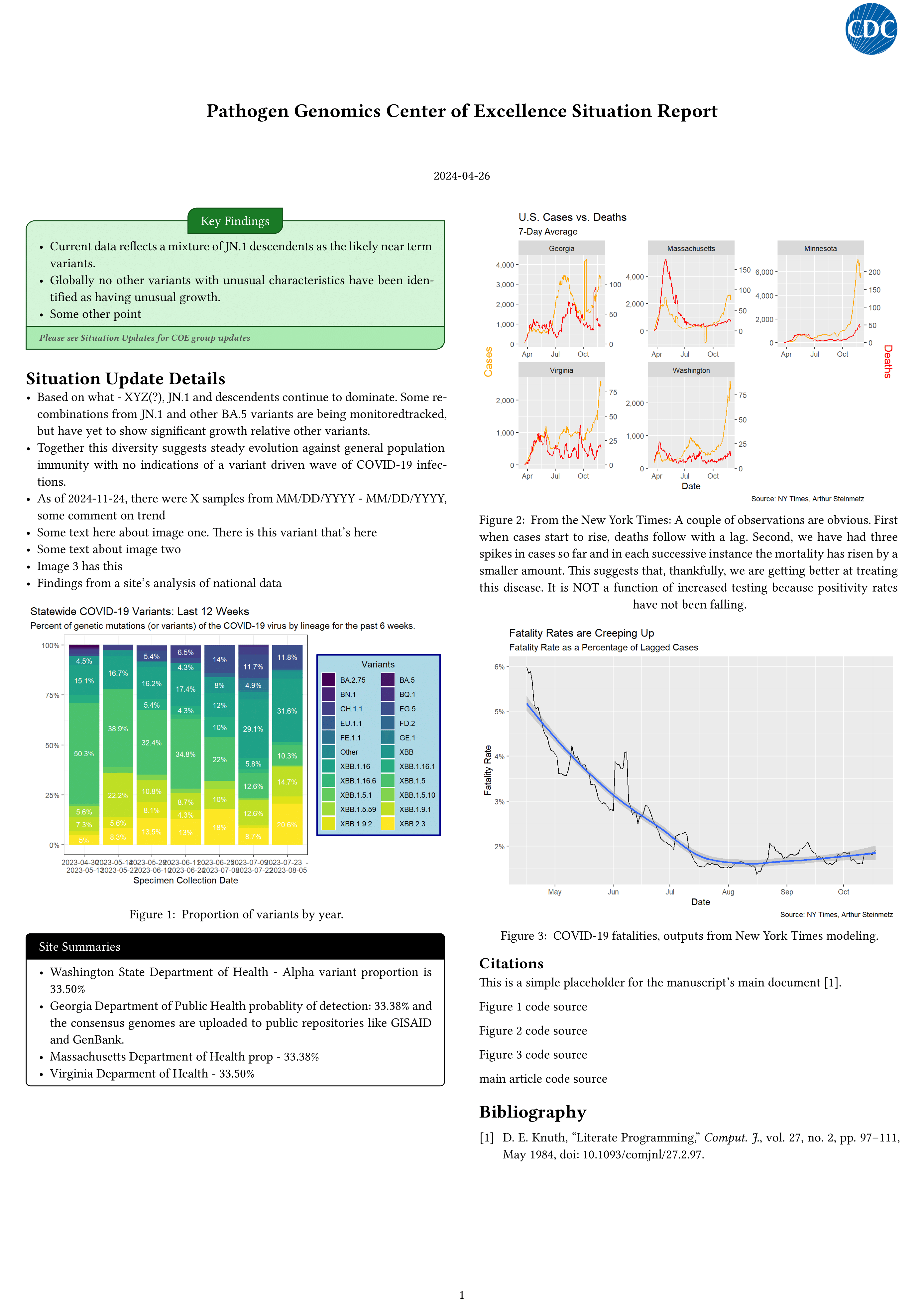
Here’s how you can automate your reports
Here is a quarto (.qmd) file that processes data and outputs our report.
In the yaml front matter we can define metadata. Here I’m specifying that I want multiple formats to be produced from this file along with a set of parameters.
You can write markdown text, link to Zotero, and make cross references.
And you can embed figures/code from external scripts.
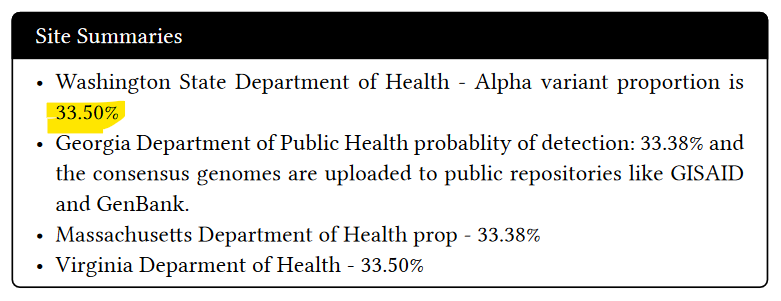
We can bake code into the report and use the outputs in the text.
This code chunk pulls data from a model and assigns it to a variable named wa_prop
And we can use the output wa_prop in the text like this:
And now our code can automatically update the text in the report:
report.qmd
```{r}# Create a model model <- multinom(cbind(Alpha, Delta, Omicron) ~ Date,data = variant_data_wide)wa_prop <- predicted_data %>% arrange(desc(Date)) %>% slice(1) %>% pull(Alpha) %>% scales::percent(., accuracy = 0.01)```## Site Summaries- Washington State Department of Health - Alpha variant proportion is `{r} wa_prop`- Georgia Department of Public Health probablity of detection: `{r} ga_prop` and the consensus genomes are uploaded to public repositories like GISAID and GenBank.- Massachusetts Department of Health prop - `{r} ne_prop`- Virginia Deparment of Health - `{r} va_prop`
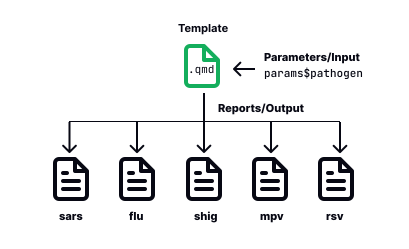
Here’s how parameterized reports work
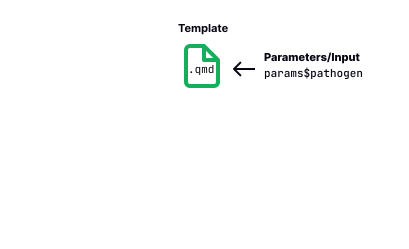
Start with our .qmd file.
When rendering, we can set the parameter we want.
Quarto will generate a separate output file for each parameter set, with the data filtered according to the specified parameter(s).
but who cares?
I do!
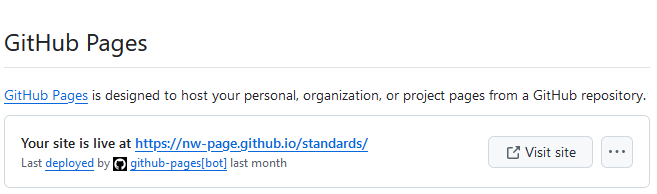
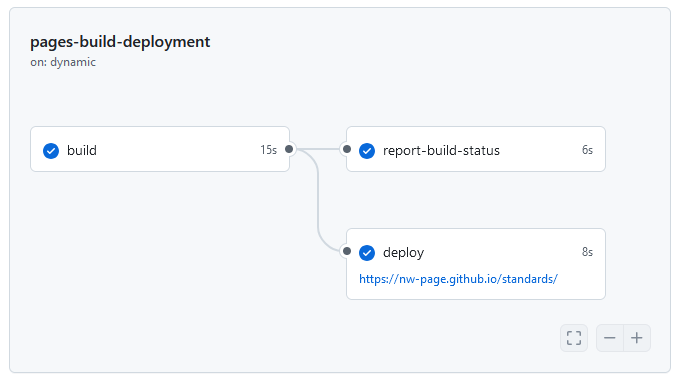
We can use Quarto and GitHub to showcase our work and run code automatically. A GitHub Action can run code conditionally or on a schedule, and GitHub Pages can host the html output of our reports.
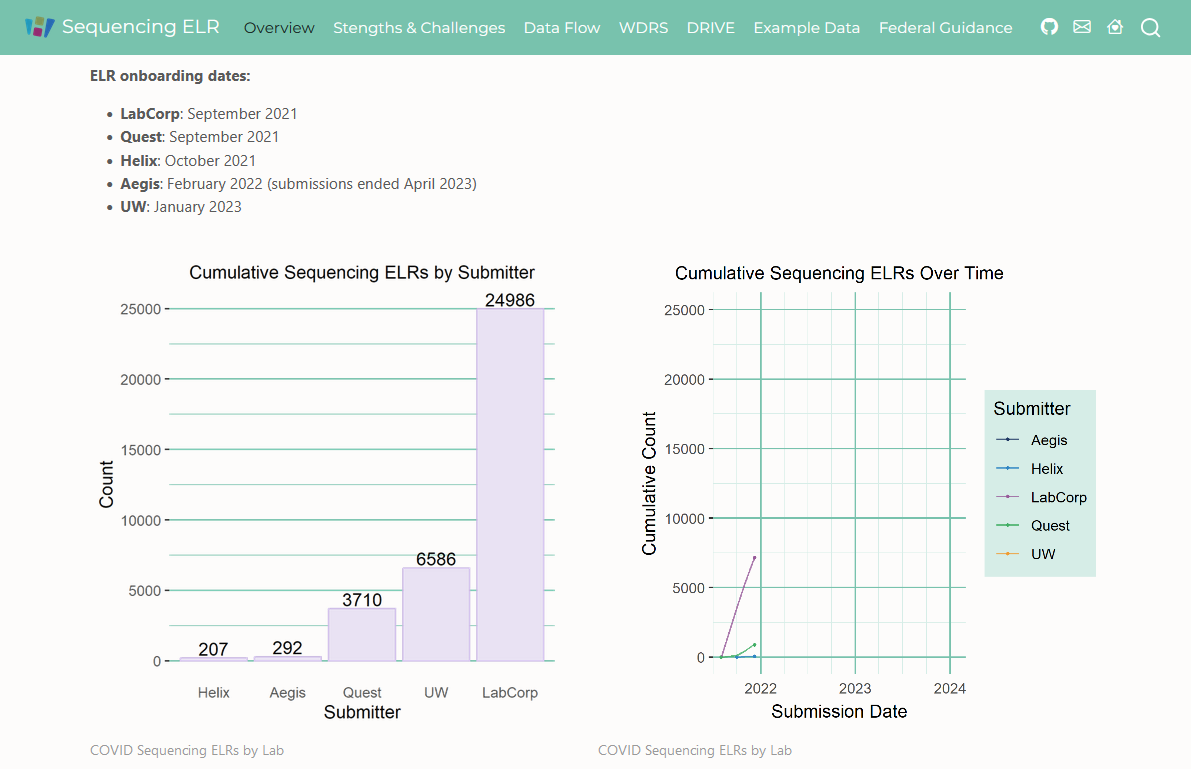
Summarize and share COVID-19 Sequencing Metadata ELR data flow at the Washington State Department of Health.
This repo provides a high-level description of the Sars-CoV-2 sequencing metadata ELR ingestion process at DOH, from lab submissions to ingestion into the Washington Disease Reporting System where it is linked with epi data. See the GitHub Page for more information
Currently only internal users can see this repo and GitHub Page.
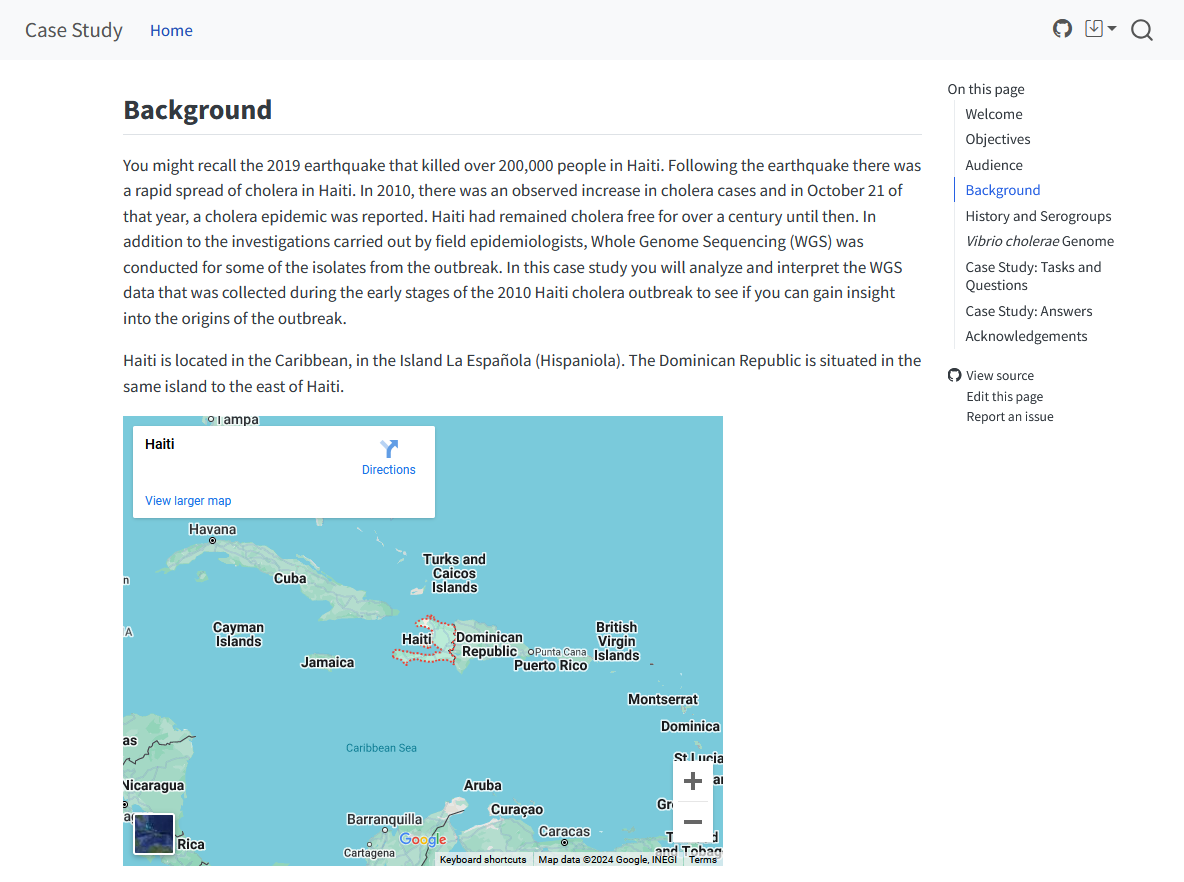
This case study is intended for epidemiologists, bioinformaticians, and other public health professionals who are interested in using sequencing data as a way to better understand transmission and links between cases. We provide a couple of options to execute some of the tasks based on different levels of expertise. See GitHub Page for more details.
Currently only internal users can see this repo and GitHub Page.
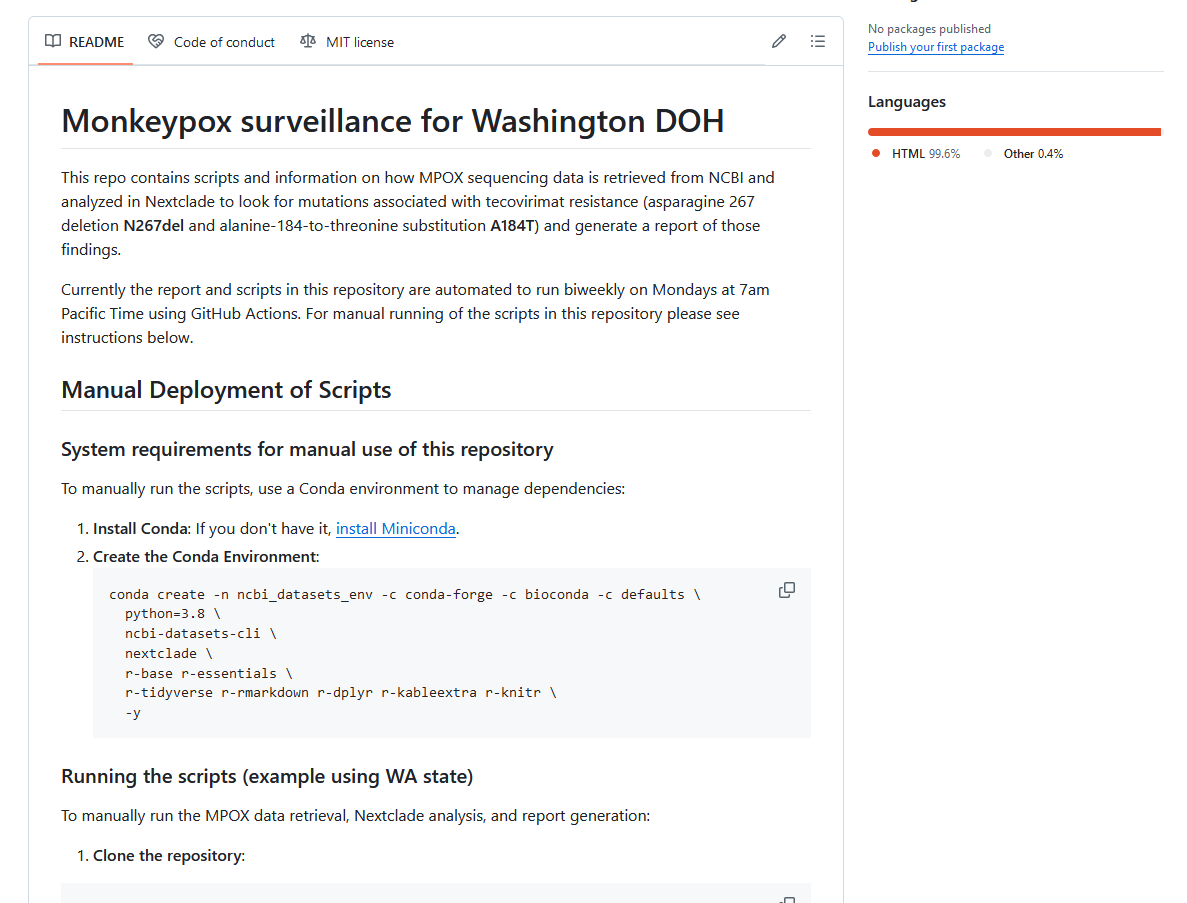
This repo contains scripts and information on how MPOX sequencing data is retrieved from NCBI and analyzed in Nextclade to look for mutations associated with tecovirimat resistance (asparagine 267 deletion N267del and alanine-184-to-threonine substitution A184T) and generate a report of those findings.
Currently the report and scripts in this repository are automated to run biweekly on Mondays at 7am Pacific Time using GitHub Actions. For manual running of the scripts in this repository please see instructions below.
Authors: Lauren Frisbie, Alena Schroeder, Frank Aragona
Create a public lineage classifications dataset. The dataset is maintained by the WA DOH Molecular Epidemiology Program in order to group the lineages for the Sequencing & Variants Report.
This repo contains scripts that will pull SARS-COV-2 lineages of interest from CDC’s repo, transform the data for Washington State DOH reporting purposes, and then output the resulting lineage classifications dataset. The dataset will be produced biweekly and can be found in the data folder. See instructions below on how to pull the dataset in R or Python.
For more information on how the scripts work, plots, and guides on how to pull data from the repo, please open the github page.
Documentation on the first version of the data integration pipeline for sequencing metadata at WA DOH - used during the height of the COVID-19 pandemic.
For a more detailed look at the pipeline, please read the manuscript in our github page. The document comes in multiple formats (HTML, PDF and MS Word) and all the main code is documented under the Notebooks tab in the site. There are links to dev containers if you wish to explore the code, although there are no test data sets available at this time. In the future we will push our updated pipelines and test data so that you can explore the code.